
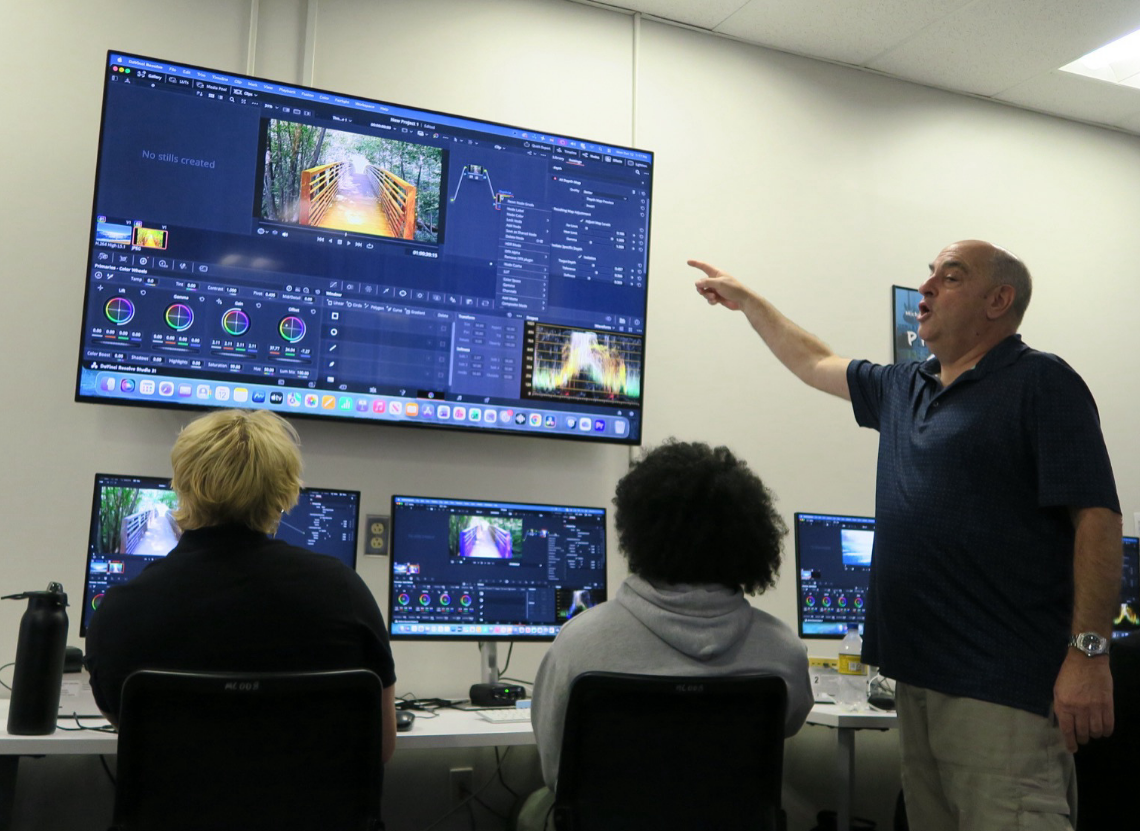
USA – Blackmagic Design today announced that the Film, Audio, Media Arts Department at Towson University is using a range of Blackmagic Design solutions to support one of Maryland’s most comprehensive undergraduate media production programs. This includes Blackmagic Design digital film cameras and DaVinci Resolve Studio editing, photo editing, color grading, visual effects (VFX) and audio post production software, as well as DaVinci Resolve Mini Panels.
The program is known for its immersive, hands on training. “Towson’s production model is closer to a graduate film school than a traditional undergrad program,” said Professor Emeritus, Film, Audio, Media Arts Department, Dave Reiss, D.C.D. “The program is backed by serious resources, including the very best gear and instruction. The students graduate with polished, professional quality work.”
Reiss helped build the program over his 21 year tenure at the school and noted that Towson’s adoption of DaVinci Resolve Studio was driven by student demand. “We started with the free version of DaVinci Resolve, and that was a hit. We then invested in DaVinci Resolve Studio,” he explained. “Our students needed it, especially as they began working with more advanced digital film cameras.”
Reiss also developed a full semester intermediate production course focused entirely on color grading and finishing in DaVinci Resolve Studio. “I did a deep dive, not just learning how to use the software, but how to troubleshoot it, push its effects, and teach students to get the most from it,” he said. “That deep dive turned into the official color correction course, and it’s now part of the core curriculum.”
Towson currently operates two dedicated color correction suites built around DaVinci Resolve Studio, supporting advanced coursework in color, post production, and narrative and documentary filmmaking. These suites feature DaVinci Resolve Mini Panels, rack mounted I/O and calibrated reference monitors. DaVinci Resolve Studio is also installed on all instructional lab computers. Students are encouraged to use the free version of DaVinci Resolve at home and then complete more advanced finishing work on campus using the Studio version.
“DaVinci Resolve Studio is primarily used for color correction and grading, but the students also lean heavily into effects,” Reiss continued. “Students use color space transforms, depth mapping, relight, AI based tracking and keying, and node based compositing. The system is incredibly deep and intuitive once they grasp the workflow.”
He added, “Most students come in used to traditional layer based workflows, but DaVinci Resolve Studio’s node based system really clicks with them. It’s more logical and more powerful for effects. They take to it right away.”
Beyond grading, students also use DaVinci Resolve Studio’s built in audio tools on the Fairlight page and VFX capabilities on the Fusion page for titles, compositing and finishing. Reiss uses DaVinci Resolve Studio for all his own client work and would integrate real world projects into his classes. “I would show students that DaVinci Resolve Studio isn’t just a color tool, it’s an all in one post production solution,” he said.
Towson’s longstanding relationship with Blackmagic Design products also includes the use of Blackmagic URSA Mini Pro 12K and Blackmagic URSA Mini Pro 4.6K G2 digital film cameras in advanced production courses, with Reiss noting that many students invest in Blackmagic Design cameras themselves.
“Blackmagic Design makes professional tools accessible,” concluded Reiss. “The training books and videos are free, the platform is reliable, and students can use the same tools at home that’s used in Towson’s labs. DaVinci Resolve Studio quickly became a core part of how finishing and polish is taught, and it’s raised the quality of student work across the board.”


