
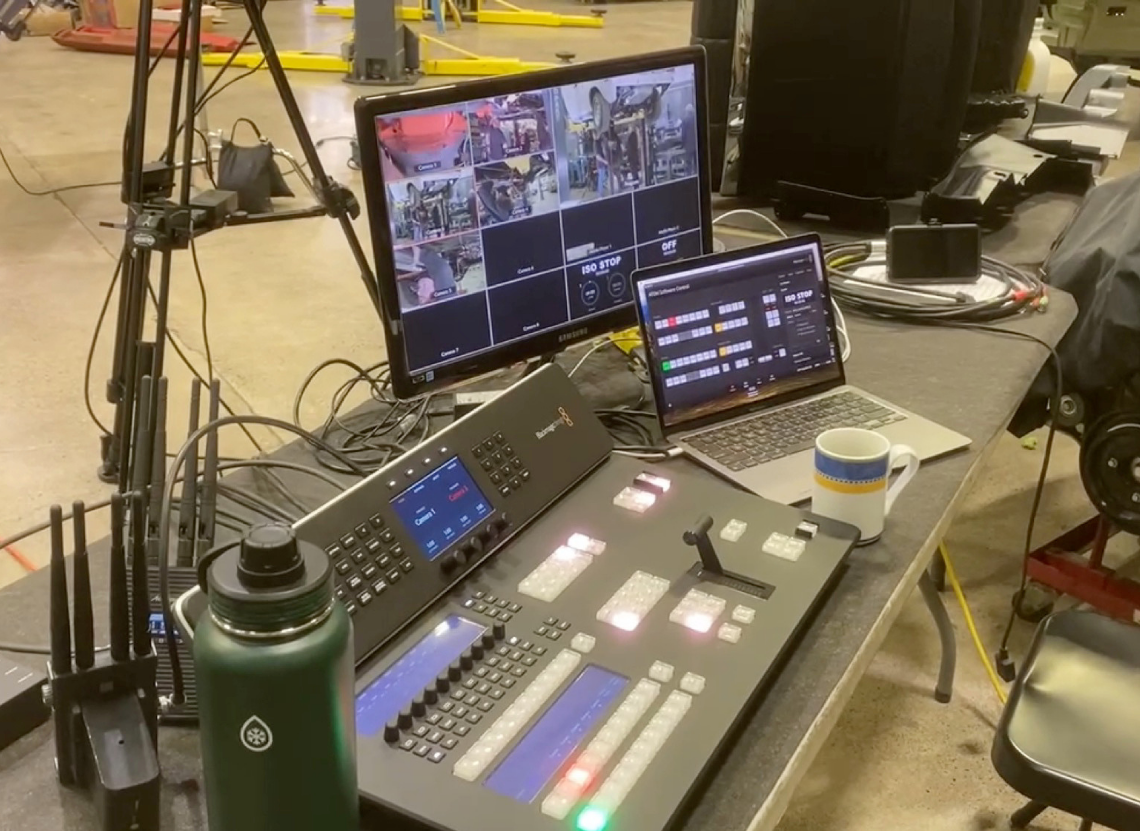
Blackmagic Design today announced that The Division, an Oregon based production company specializing in reality television production, is using an ATEM Television Studio HD8 ISO live production switcher to streamline multi cam shoots for its long running series “Graveyard Carz.” This workflow allows the team to direct and capture episodic shoots in a live production style, with pre edited segments enhancing efficiency, while maintaining the flexibility to further edit in post production.
“The Division is unique in that it currently only produces ‘Graveyard Carz,’ and the company’s primary owner is the central star of the show, which is not a common situation in reality TV,” said Aaron Smith, executive producer and cofounder, The Division. “We’re also a very small crew and we do virtually everything in house. We shoot, edit, mix, color correct, produce, master, deliver, and I even do voiceover for the show.”
With a small crew and packed shooting schedule, Smith is always looking for new ways to enhance the production’s workflow.
“‘Graveyard Carz’ began airing in the U.S. in 2012, and we’re still at it 13 years later; currently we are the longest running series on MotorTrend’s linear network,” he said. “I knew the ATEM shined when used with Resolve for post production, and I had been wanting to shift our team to Blackmagic Design for some time as I greatly prefer the color correction tools in Resolve over others.”
The Division uses the ATEM Television Studio HD8 ISO on larger, multi cam shoots, with secondary footage captured by two Blackmagic Pocket Cinema Camera 4K digital film cameras remotely controlled by the ATEM operator. Blackmagic Micro Studio Camera 4K G2s are used for driving and under car setups, along with Blackmagic URSA Broadcast G2 for static wide angle shots and as the A camera on additional shoots.
“We record the shoot onto the local hard drive, saving the .DRP file along with it. This enables us to switch cameras and direct the shoot in a ‘live’ style while maintaining the flexibility to edit afterwards,” explained Smith. “The ability to edit with proxies and then switch to Blackmagic RAW at the push of a button for final grading is unique. This can be a fast and appealing workflow if you don’t mind working with multiple cameras in the sync bin.”
“The main benefit for us is essentially pre editing larger segments,” he added. “We use headsets to communicate during the shoot, and the ATEM operator can tell the crew which camera is being used or to adjust a shot. While this live directing approach is something we’ve done without a switcher, it’s a terrible waste of resources when it’s very easy to have someone simply push buttons and edit the segment live. It gives the editor a huge leg up when they have a large segment. Additionally, if the goal is also to have fast turnaround for a producer to watch and add notes, it’s much more pleasant for the producer to watch something that appears to be edited.”
In post, the team uses DaVinci Resolve Studio for editing, color grading and audio post production, along with a DaVinci Resolve Micro Panel, collaborating via Blackmagic Cloud.
“Our previous post workflow was severely hampered,” noted Smith. “If we wanted to implement last minute changes, we were forced to use a platform we didn’t want, and it involved multiple projects and tracking numerous changes across different versions.”
“In moving to Resolve, I was most excited by the possibility of team collaboration and the Blackmagic Cloud workflow. I dreamed of having a team project that I could color correct while my fellow executive producer Jeffery Osborns could be mixing, in a proper DAW like Resolve’s Fairlight no less, and our talented editor/animator Nick DeAngelo could be adding b roll to, all simultaneously. Even if we produced content at the exact same pace with the same number of steps as before, the cost savings alone makes switching to Resolve a wise choice.”
According to Smith, the production also benefits from using the hardware during livestreams on social media platforms. “We’ve used the ATEM Television Studio HD8 ISO and ATEM Microphone Converter for multi cam, multi mic livestreams. I’m excited about exploring the full possibilities of streaming to YouTube, Facebook, etc. with this setup, especially the ability to implement motion graphics, stingers, and more,” he concluded.


