
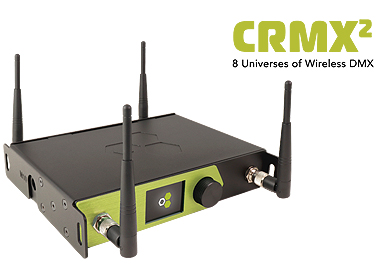
As part of LumenRadio launching The Next Generation boxes, we have also completed upgrades to the CRMX communication protocol.
The purpose of the upgrade is to add support for more universes, enable full support for the W-DMX protocol and to add new features. To take advantage of this, users are required to make firmware updates to fixtures and receiver devices.
With the new firmware, Stardust is able to transmit “CRMX²” which enables eight universes of Wireless DMX to all updated fixtures and receiver devices. There are some devices that, due to hardware limitations, cannot be updated with the latest firmware. For this reason we have added a configuration mode on Stardust which uses the same transmissions currently used on all other devices. We call this “CRMX Classic” mode and this is compatible with all CRMX devices ever produced. When using CRMX Classic on all four radio links in Stardust, the number of universes transmitted is reduced to four.
MoonLite can be updated, but our CRMX Nova, CRMX Outdoor and CRMX Slim devices all have limited hardware capabilities and therefore cannot be updated with the latest firmware. As such, these devices can only receive transmissions in CRMX Classic mode.
The vast majority of fixtures and receivers with CRMX can be updated as this applies to CRMXchip, TiMo and TimoTwo. Devices with TimoTwo can be updated directly over Bluetooth using the CRMX Toolbox app, while other devices require different update methods. Fixture manufacturers may have chosen different upgrade methods, please refer to your manufacturer for details regarding this.
Updated receiver devices will ‘listen’ for both the CRMX and W-DMX protocols and automatically select the protocol used by the transmitter. This includes CRMX², CRMX Classic and W-DMX G3/G4/G4s/G5.
The firmware is now available through the CRMX Toolbox App and our website. Fixture manufacturers are also implementing the new firmware, please allow a few weeks for implementation and release.
Firmware update methods
There are several ways to update the firmware of the radio module depending on the device to be updated. Since LumenRadio is not involved in fixture design, please contact your fixture manufacturer if you have questions on the appropriate method. You can also ask other users in the Wireless DMX Users group on Facebook.
CRMX Toolbox App
For all fixtures equipped with TimoTwo, it’s possible to update the firmware directly from our CRMX Toolbox App available in Google Play and App Store. Simply download the app to see if your fixture supports this.
Manufacturer Firmware Update
Some of the manufacturers have bundled our new firmware into theirs, meaning that a firmware update from these manufacturers will also update our firmware. Please contact your manufacturer for the appropriate method.
USB Cable
With a RS485 to USB cable it’s possible to use our Firmware update utility to update the firmware through the DMX interface of the fixture. This utility along with instruction and required files can be downloaded from LumenRadio support pages. An appropriate upgrade cable from LumenRadio is available through your distributor.
Supernova over-the-air
For fixtures equipped with TiMo or CRMXchip, it’s possible to update the firmware wireless using our free Supernova software. Firmware updates can be performed to devices linked to a transmitter supported by Supernova, such as the CRMX Nova TX2, CRMX Nova FX or CRMX Outdoor FX, not The Next Generation boxes. Note that this procedure takes several minutes to perform for each device. Supernova requires Java to be installed and might need administrative privileges to perform firmware updates.


